MCP server
The Kaleo MCP (Model Context Protocol) server allows you to connect your Kaleo account to any AI tool that supports the Model Context Protocol, like Claude, Claude Code, and others.
Once connected, your AI tool can access your viewer analytics, stream history, transcripts, and translations for you to analyze and integrate into your workflows.
What you can do with the Kaleo MCP
Stream history and analytics
- Analyze viewer totals and language usage
- View stream languages, duration, and sharing status
Transcripts and translations
- Download original transcripts in TXT or SRT format
- Download translations in TXT or SRT format
Sharing and session management
- Enable or disable public stream sharing
- Get public links for shared streams
Account and product information
- View plan limits and remaining streaming time
- Search Kaleo product documentation
- Check supported languages
How to connect to the Kaleo MCP
You’ll need an active account with the AI tool of your choice to connect to the Kaleo MCP. Then you can follow these steps to connect:
-
Go to the Integrations page in your dashboard.
-
Under the MCP server section, follow the instructions for the AI client you’re using. Setup guides are available for Claude, Claude Code, and other tools that support the Model Context Protocol.
Having trouble connecting?
Just ask your AI client to add Kaleo as a remote Streamable HTTP MCP server using
https://mcp.withkaleo.com/mcp -
Follow the instructions to grant access when prompted, and finish connecting your account.
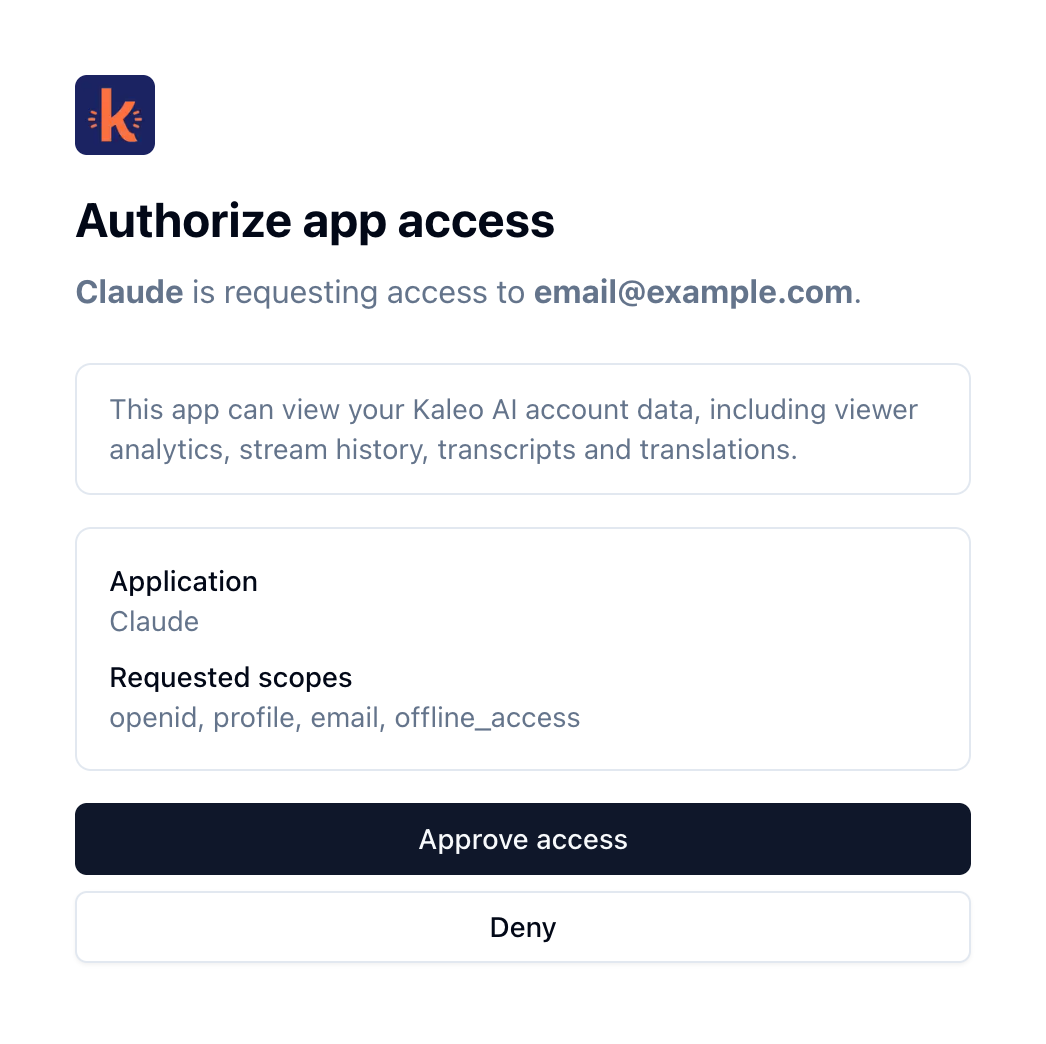
Click Approve access when prompted