

Kaleo Connect
Kaleo Connect is a desktop app that you can install on your production computers to enable some deeper integrations, including:
-
Streaming and scheduled events. You can stream directly from Kaleo Connect instead of the web dashboard. This also allows scheduling events in advance, so you don't have to manually start and stop the stream for every service.
Kaleo Connect is required to schedule streams. Please refer to our scheduling docs for more detail.
-
ProPresenter integration. Translate your song lyrics and slide contents directly out of ProPresenter in real-time.
-
Audio output. Send the audio translation feed for distribution to wireless transmitters, multitracking, and integration with other systems.
Download, install, and pair Kaleo Connect
-
Go to the Kaleo Connect page in your dashboard, and download and run the appropriate installer file for your Mac or PC.
-
Back in the Kaleo dashboard, get a pairing code by clicking “Pair a device” on the Kaleo Connect page
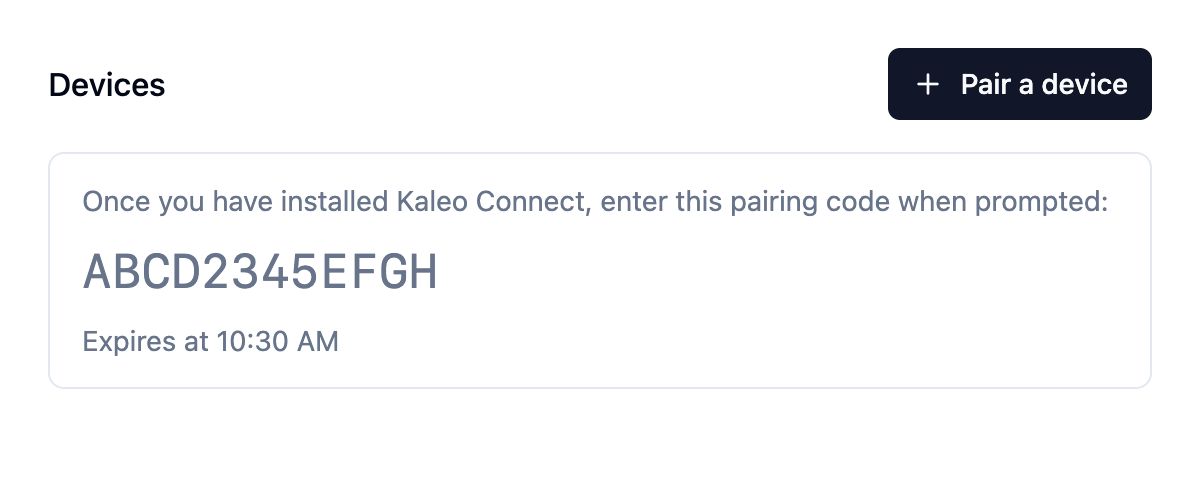
Get a pairing code from the Kaleo Connect page in your dashboard -
Enter the pairing code in Kaleo Connect, which will register your computer and allow you to start using Kaleo Connect.
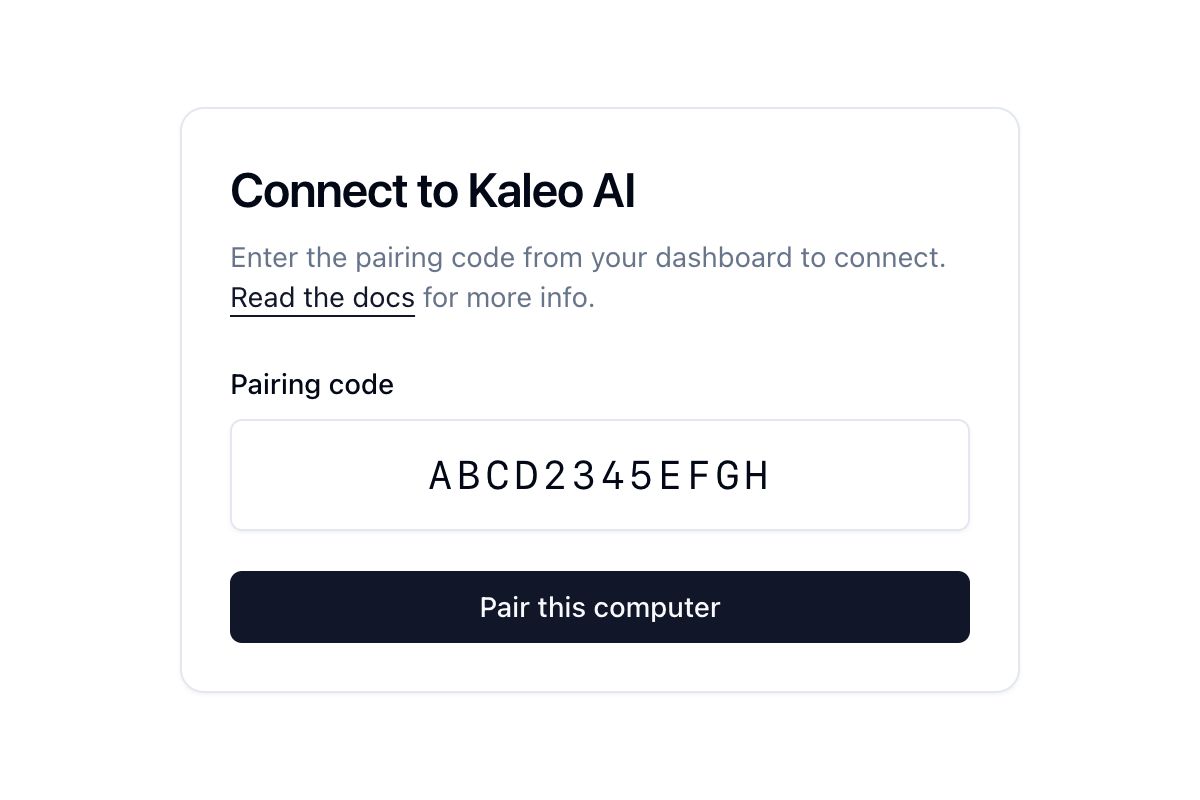
Enter the pairing code in Kaleo Connect
Uninstall Kaleo Connect
In Kaleo Connect, open Settings and choose Unpair device. Wait for unpairing to finish; an internet connection is required to remove the computer from your church dashboard. Then choose Uninstall Kaleo Connect and confirm.
Uninstall removes the app and its local settings and disables launch at login. Your Kaleo account, subscription, scheduled events, and saved transcripts remain.